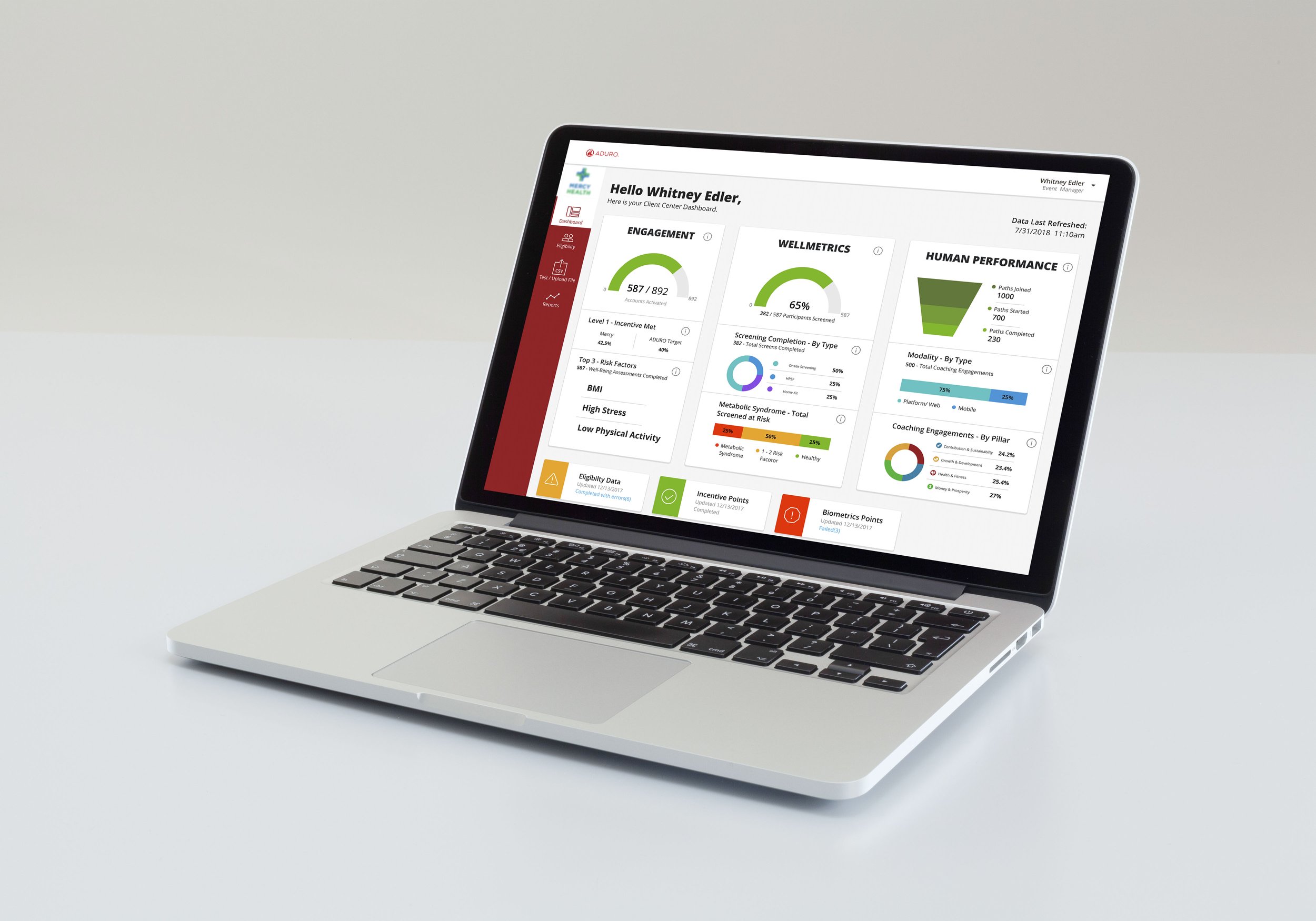
Client Center Dashboard
Aduro's platform for internal teams and external clients to manage and view their employees' engagement with Aduro's programs and events.
Background
Aduro is a wellness platform that provides; "A native digital-to-human experience that listens intensely, helping people attend to what matters most to them, and creating authentic, trusting relationships that result in transformative choices that meaningfully change lives."
The Client Center is the hub for internal teams and external clients to manage and view their employees' engagement with Aduro's programs and events. Client Center is one of the most mature products in Aduro's technology stack but currently provides an unsatisfactory user experience for all of its users and is not a scalable solution for Aduro's growing business.
Problem
The problem was Client Center was made to manage a small number of clients. As the business grows and matures, we are faced with scaling challenges. The platform had become cumbersome, difficult to navigate, and not scalable.
I was asked to focus on the Client Center Homepage. The product manager gave the parameters of keeping the core functionality and re-image the landing page to be a scalable framework while maintaining a unified platform experience.
Effects on the Business
Client Center is used mainly by Aduro account managers and clients' human recourses. Being the hub for Aduro and their clients to manage their populations, there were large amounts of noise coming from Aduros clients around the difficulties with Client Center. This was a major concern for Aduro because Aduro wants to empower its customers to create a positive change in their culture.
My Role
I lead the design process while the Client Center transitioned project managers and dev teams. Throughout the project, positive partnerships have brought stakeholders from the Client Services, Data, and Partner/ Client Engineering Teams along the journey of the product's creation.
Discovery
Gathering site visitor data
The research was done to understand the process account managers use to interact with the Client Center Homepage. The data collected from five account managers helped create a simplified process that minimizes frictions. Our research focused on account managers' current workflow and the features they use the most.
Objectives
Establish the needs and goals of Account Managers using the Client Center Homepage.
Understand the actions of AMs.
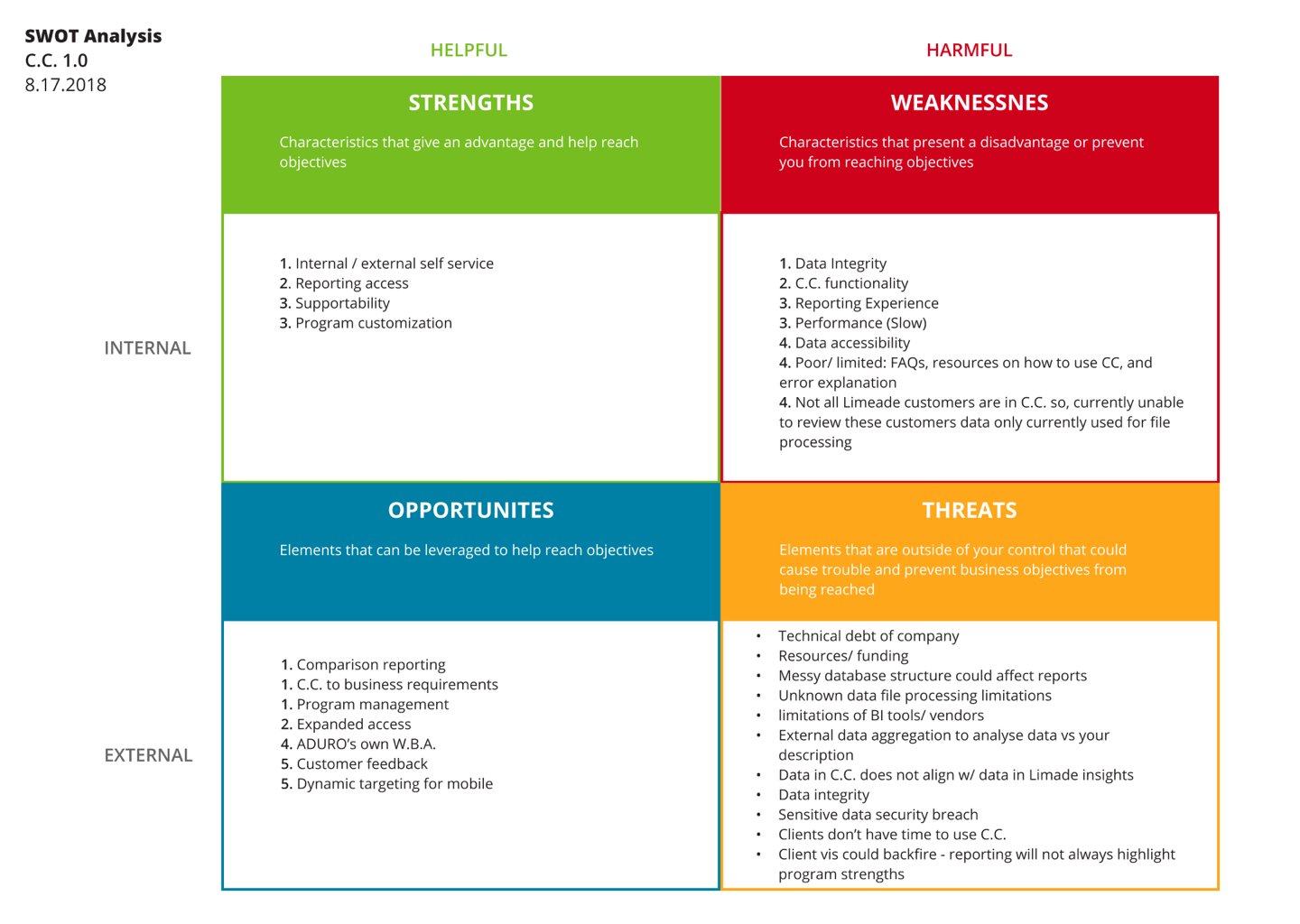
Strengths Weaknesses Opportunities & Threats Analysis
Establish a baseline AM Performance and satisfaction levels with the Client Center homepage.
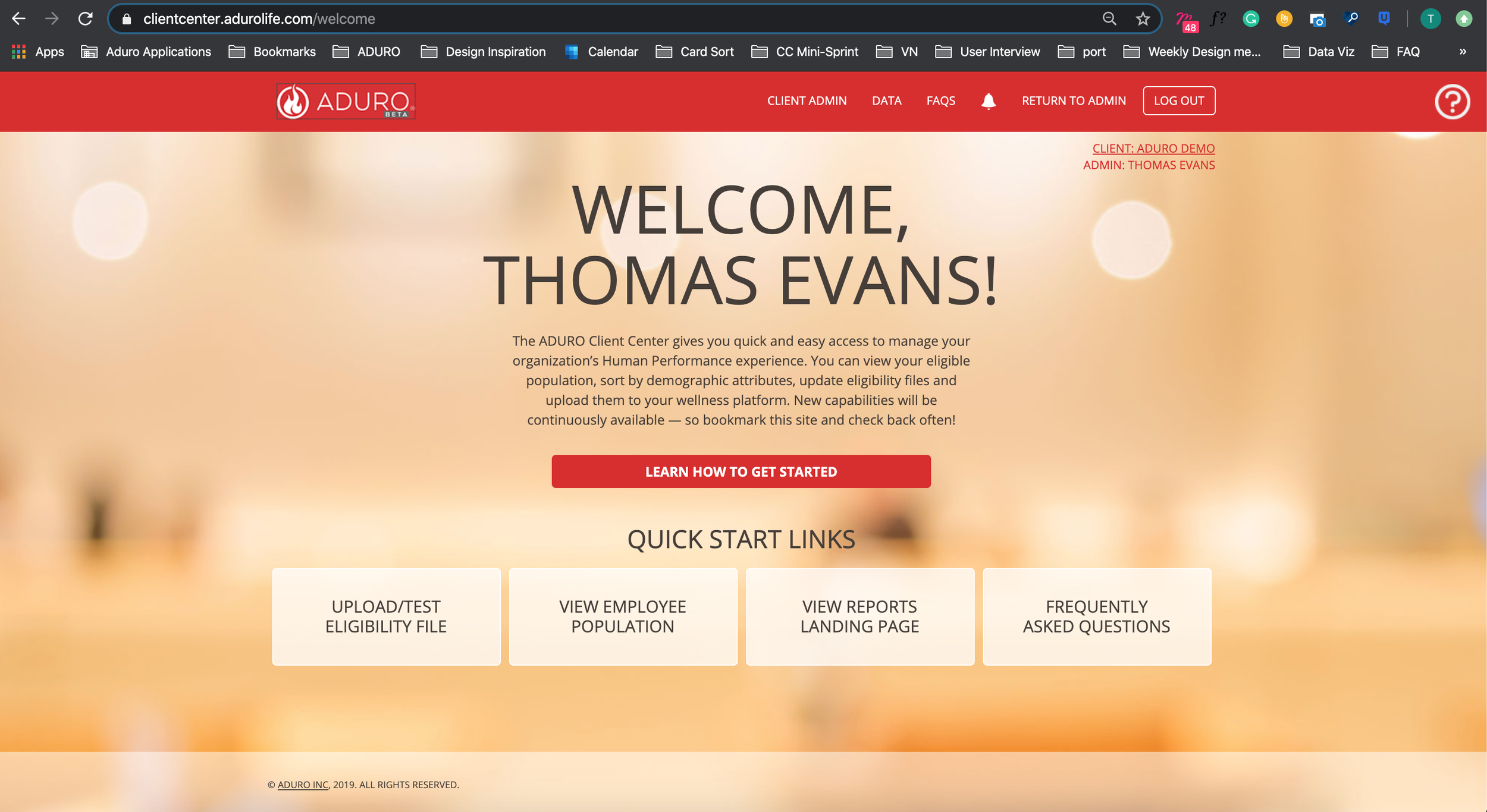
Understanding how account managers use the landing page
Interviews
The questions and tasks asked in the interview were scripted. The audio was recorded for consistency and ease of review. I wanted to know why each AM was coming to Client Center and what their goals are for coming to the platform for. Establishing the top goals of the AM was my number one priority of the interviews.
The AMs were asked to perform standard tasks within the Client Center. I observed each step the AMs took to complete tasks within the CC homepage. They were asked to share their thoughts while completing tasks and utilizing functions.
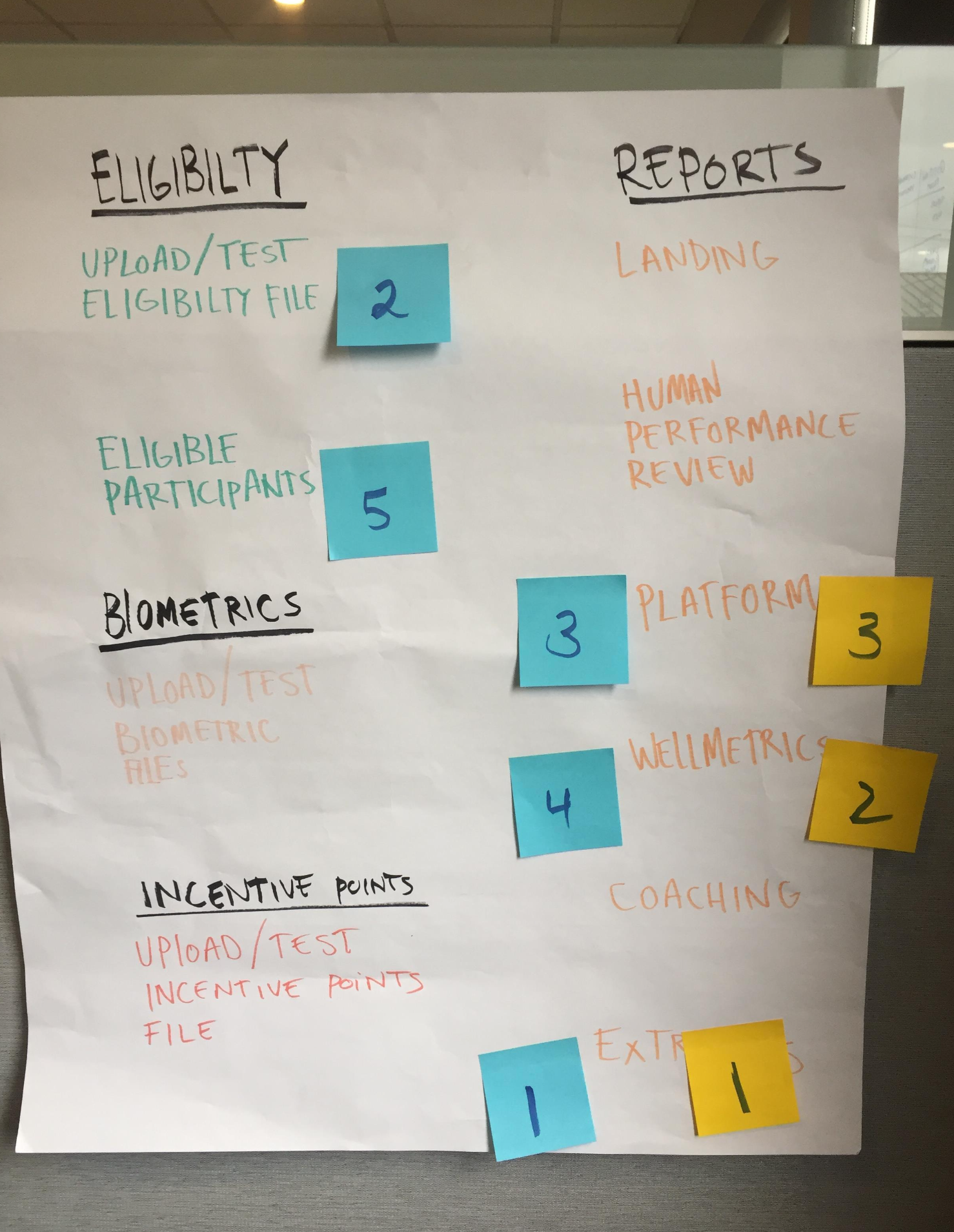
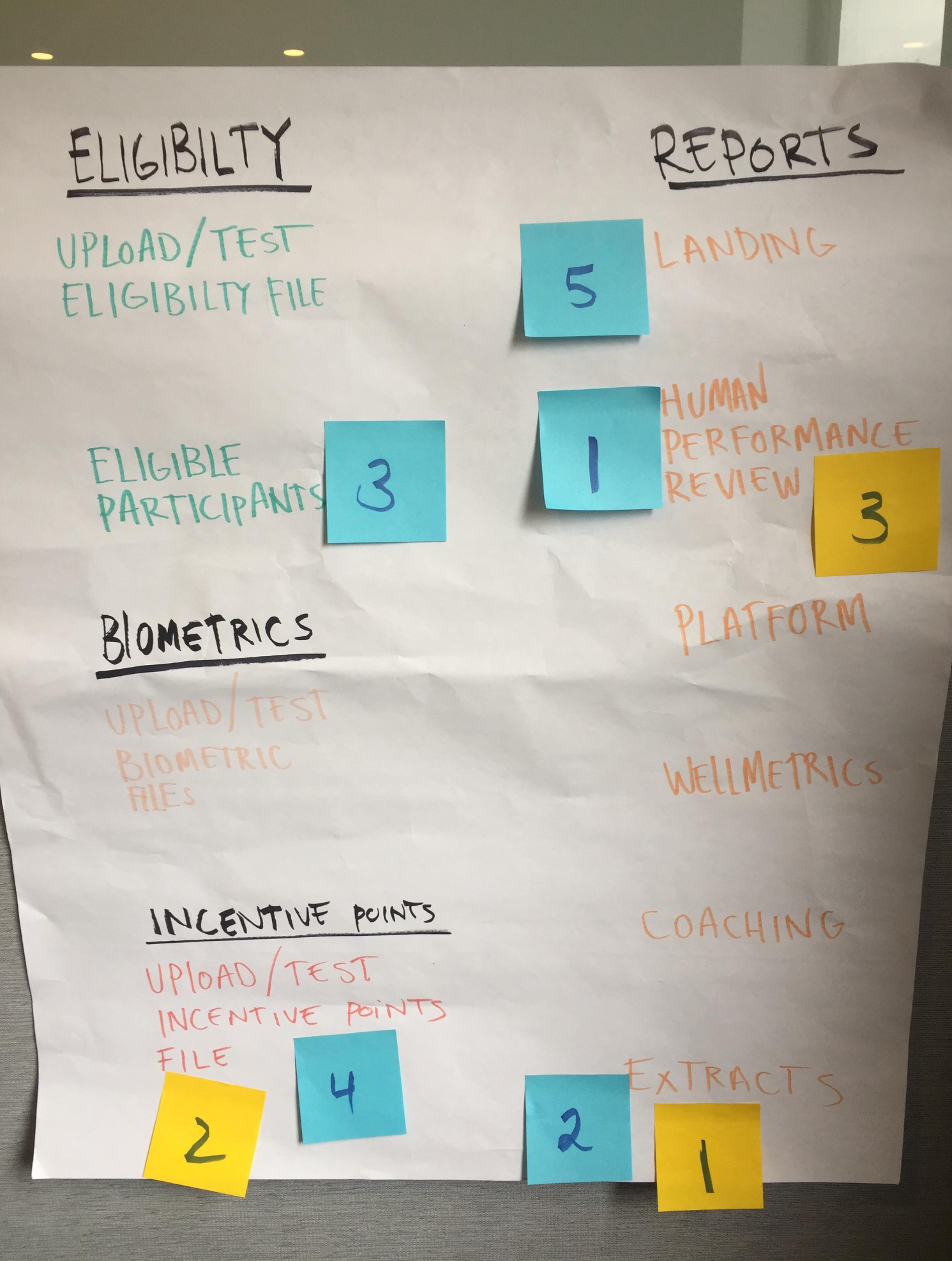
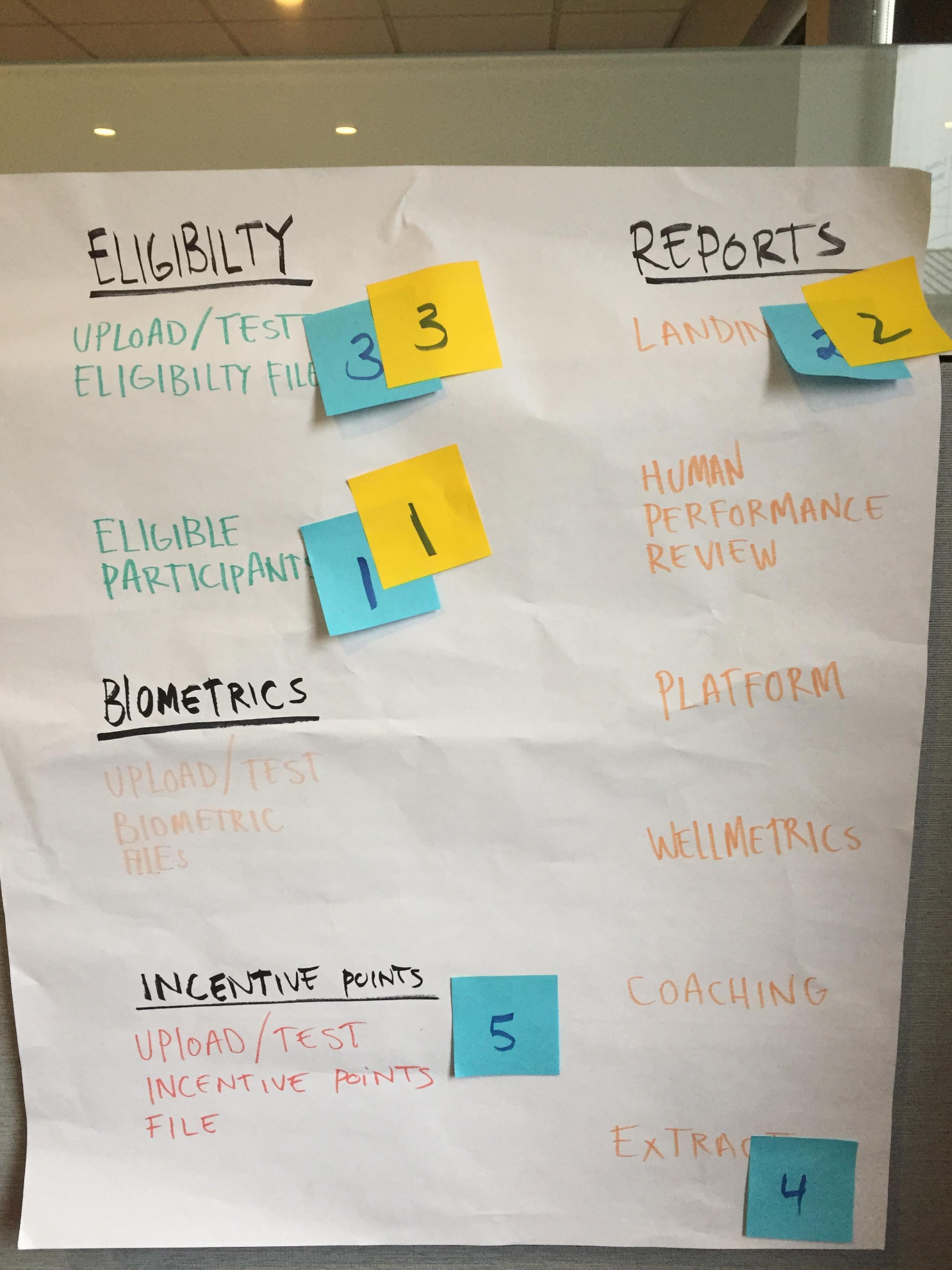
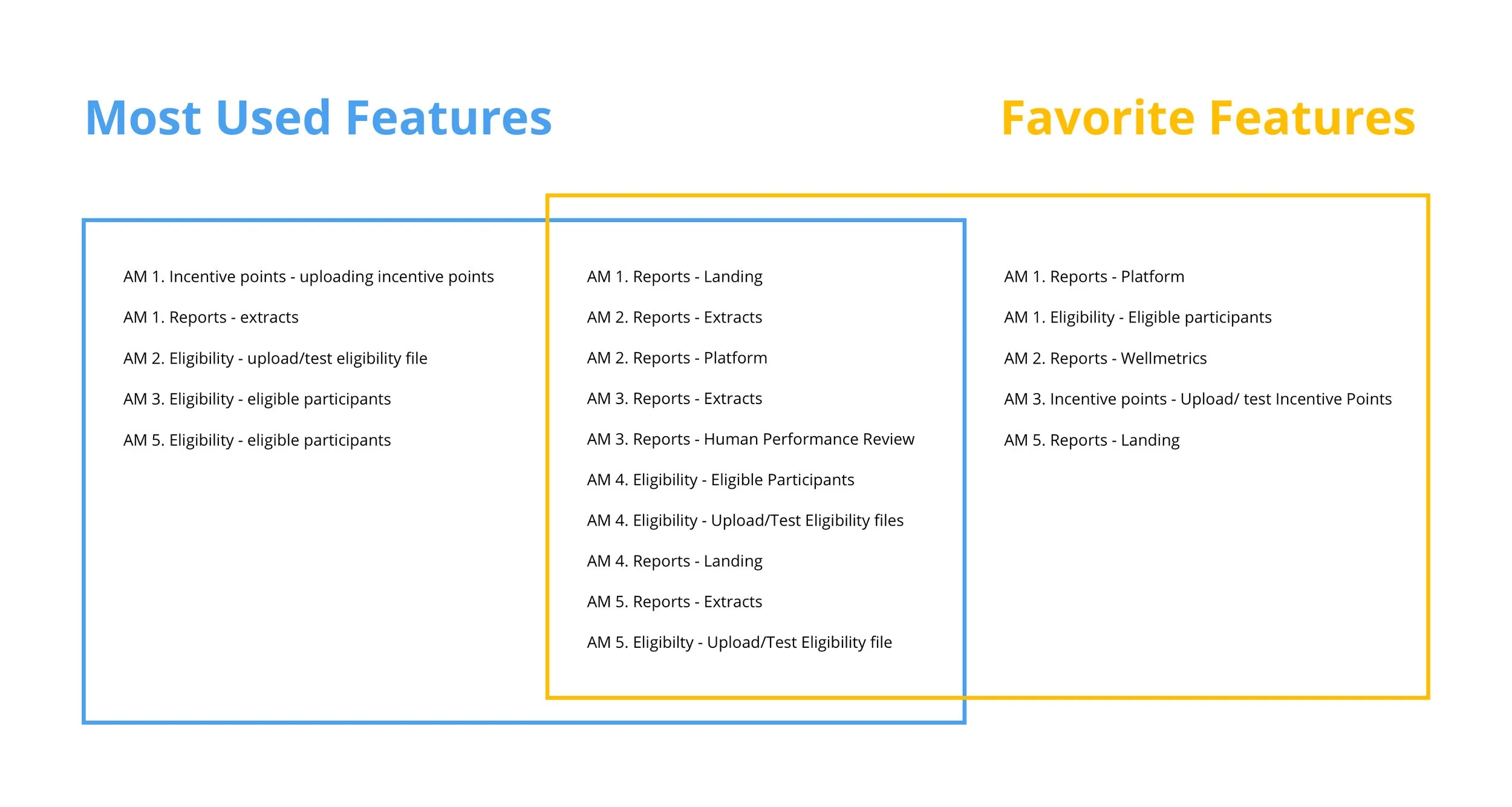
In addition to the interview, the AM was asked to complete an activity in which they ranked in order the top five features they used most and their top three favorite features.
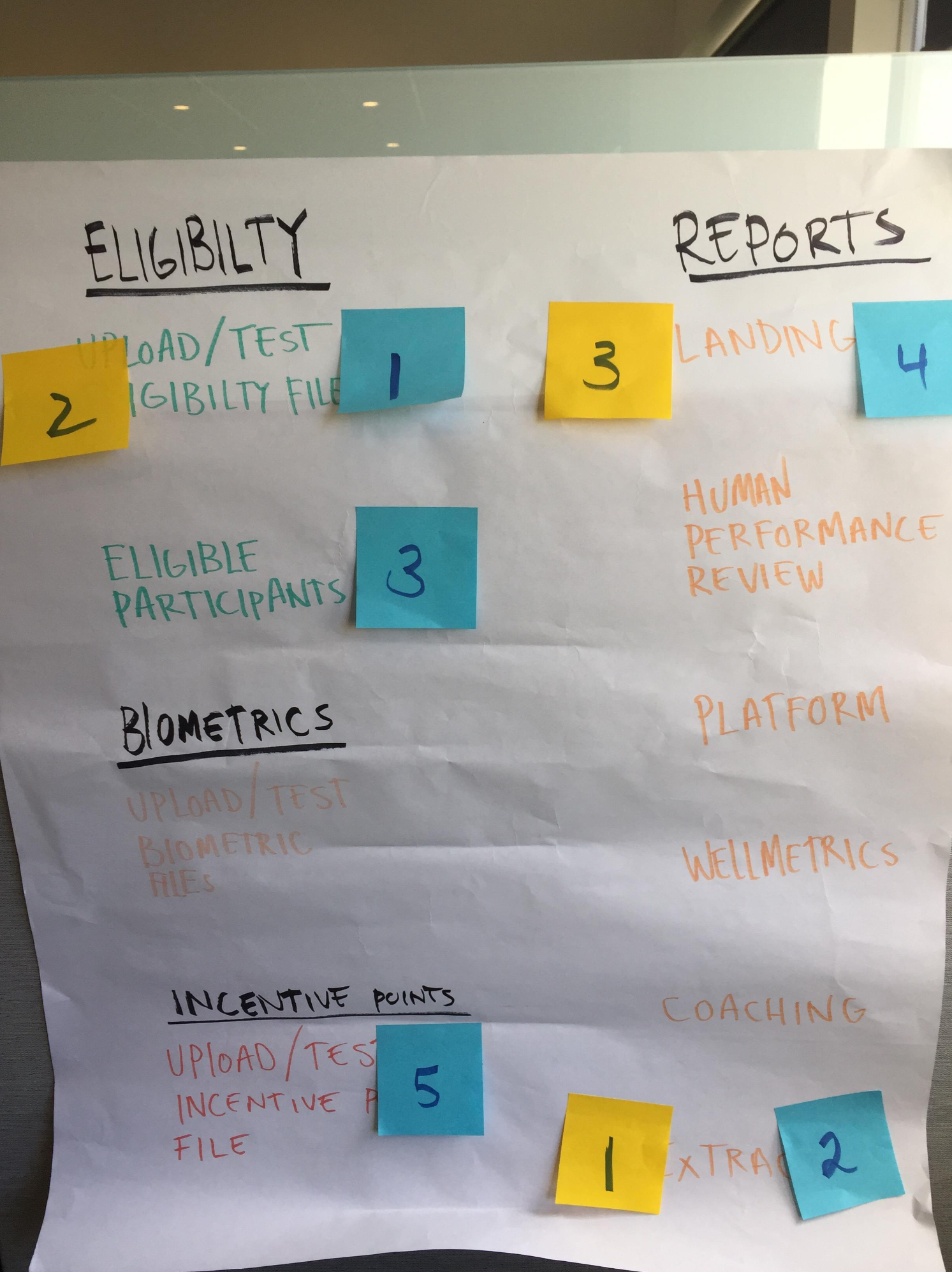
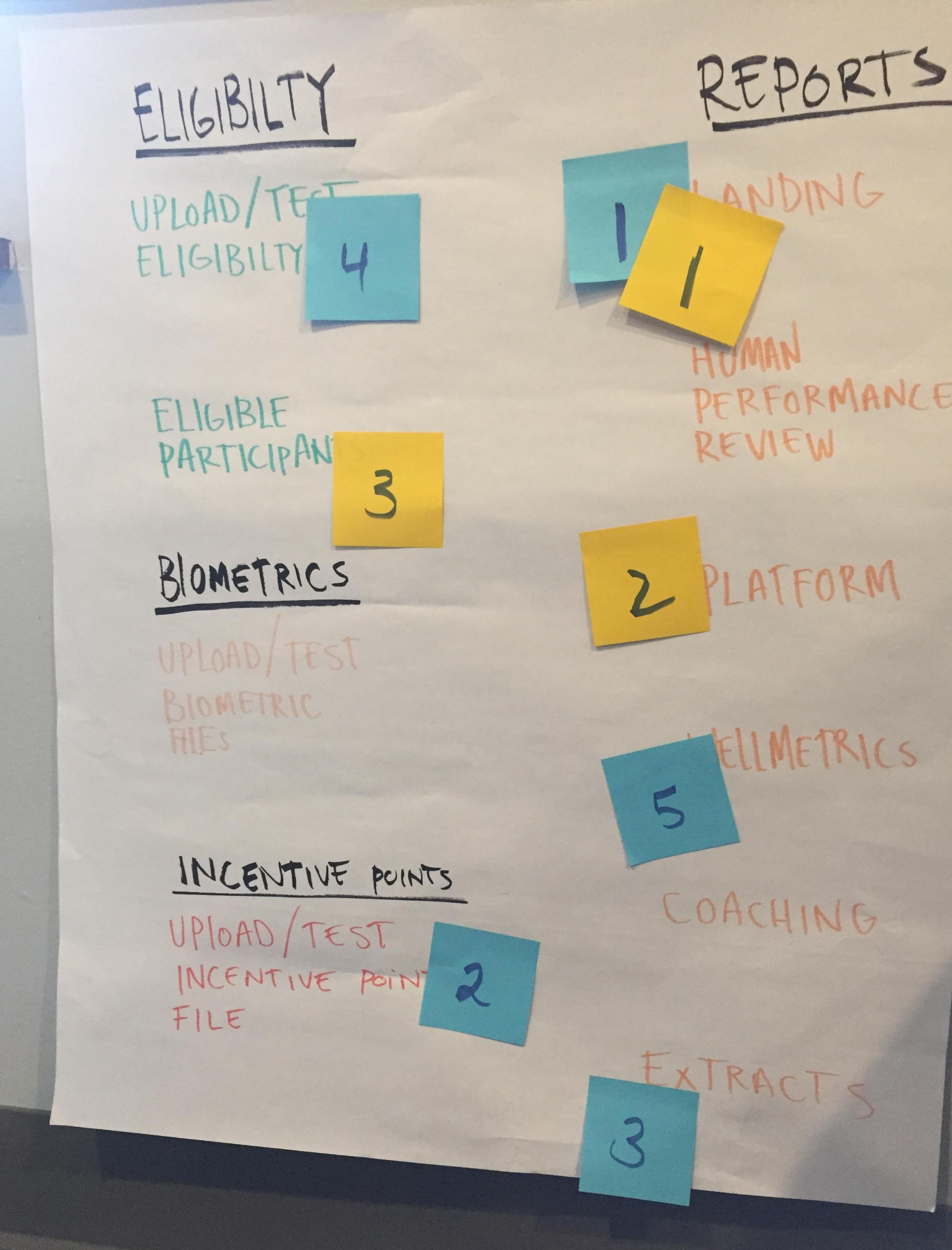
Interview Results
The Account Manager's goals when arriving at the CC homepage vary from AM to AM overall they are there to gather specific information about their client's population.
Some of the major pain points are load time and having to navigate to the same features every time the CC homepage is visited. Other smaller annoyances include locating desired features due to labeling ambiguities, excessive keystrokes to complete tasks, and confusion with recommended screen flow.
Overall, the AMs can complete most tasks and are mildly satisfied with the CC homepage. All AMs involved in the research had valuable insight and great suggestions as to help improve CC Homepage.
SWOT Facilitation
Building Stakeholder Empathy
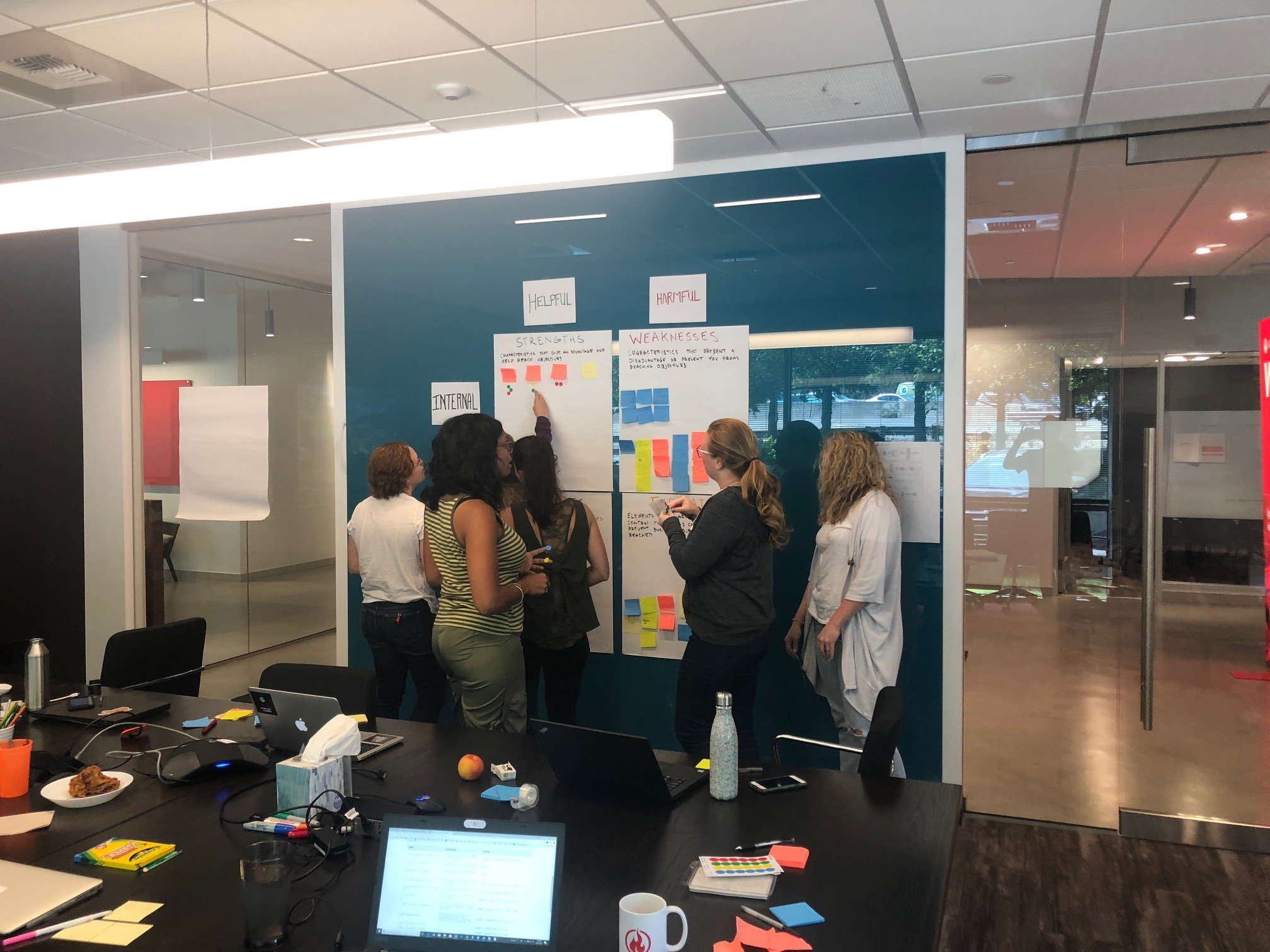
The goal of facilitating the activity with the account managers was to allow for all voices to be heard and recognized. The SWOT activity was to validate work currently in flight, and any opportunities we may have missed in regards to the Client Center homepage.
Objectives
The activity began by explaining the goals and challenges of the Client Center and acknowledging that some of the participants had discussed their concerns before and that we wanted to build empathy amongst the team. The guidelines were clear, we were not solutioning, we're identifying problems.
Each participant was given stickies and worked on each section for three minutes. When the twelve minutes passed and all participants were finished, we discussed and synthesized as a group when done. We analyzed and ranked the problems together. These findings were compared to the roadmap and necessary changes were made.
SWOT Results
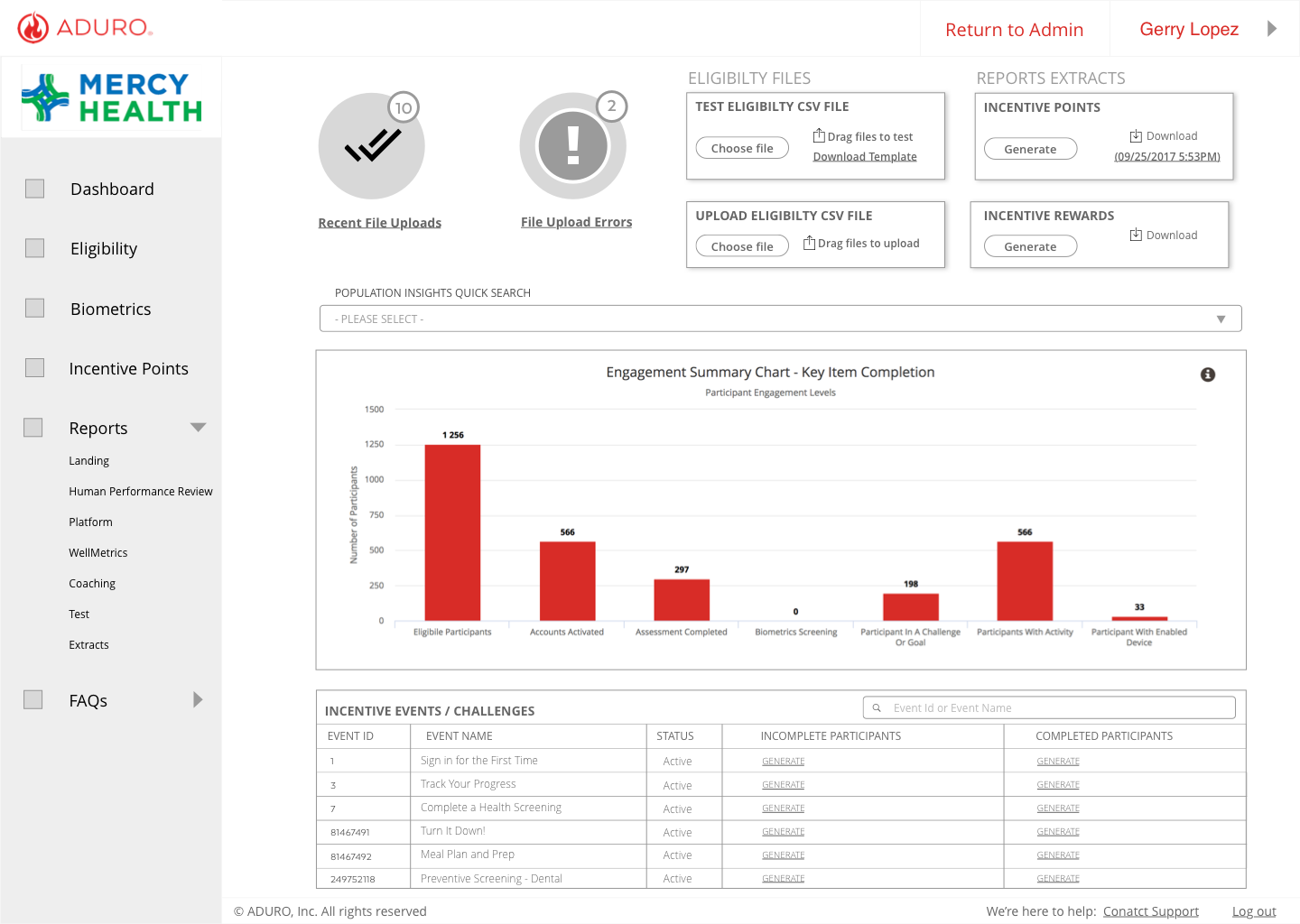
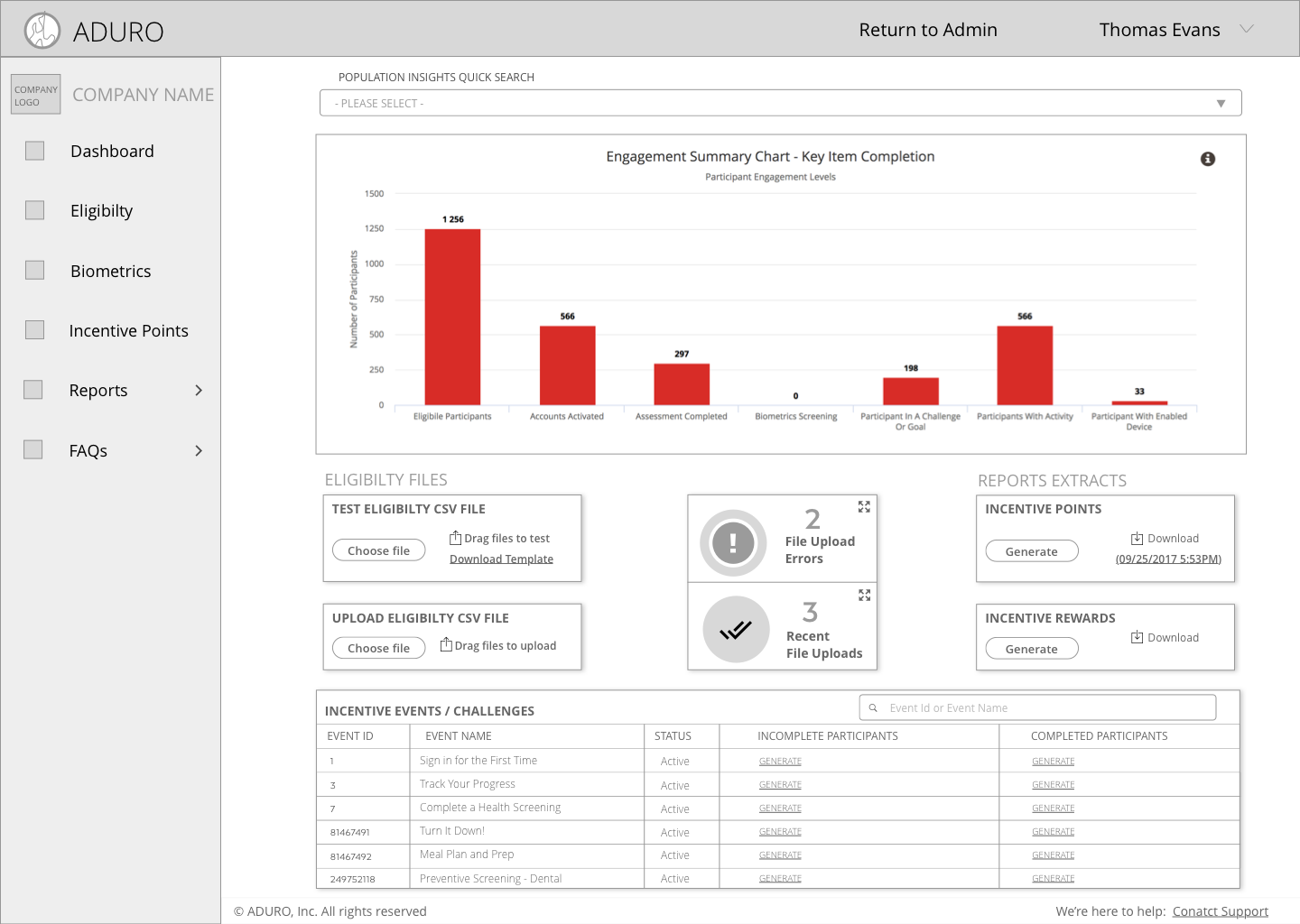
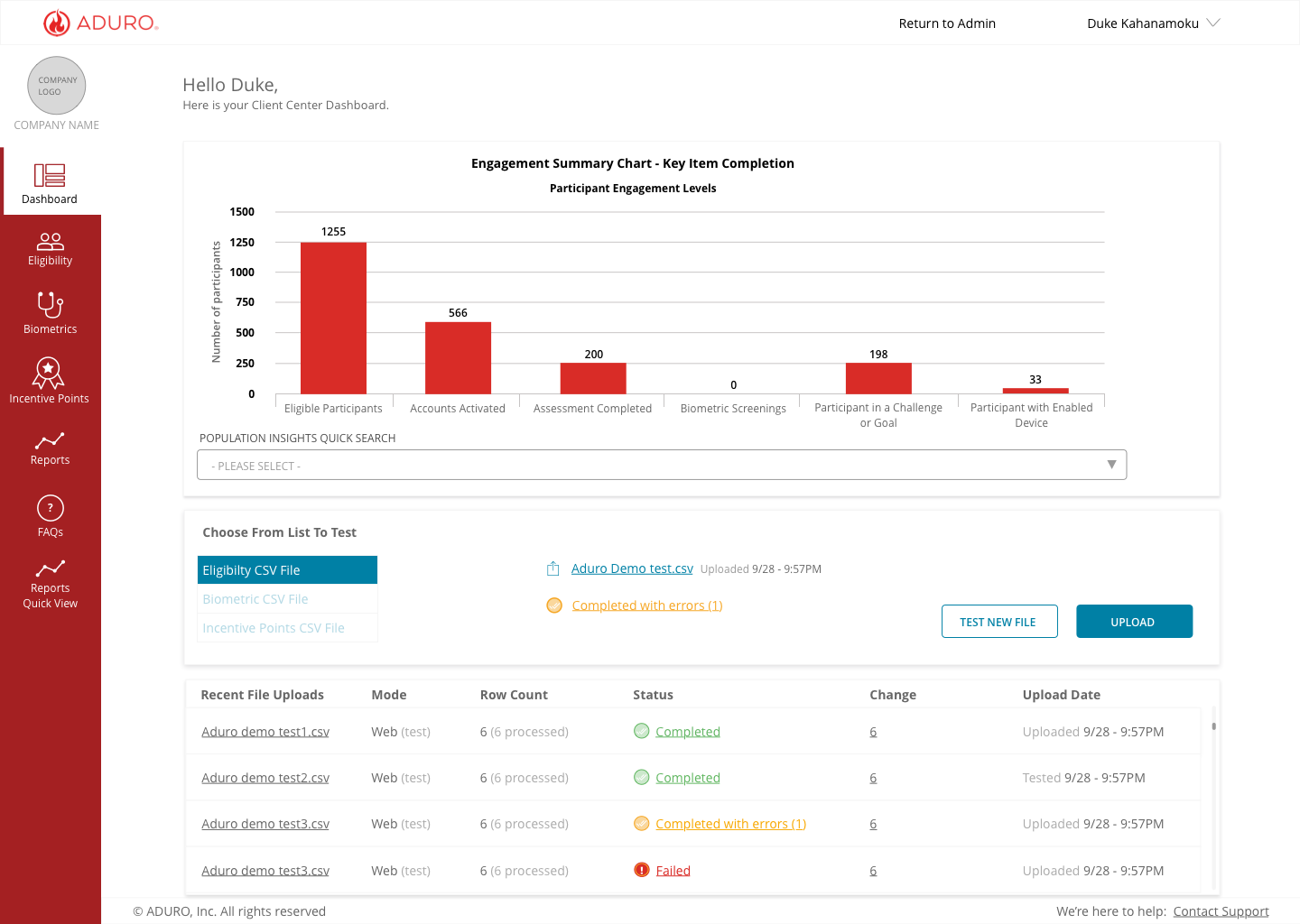
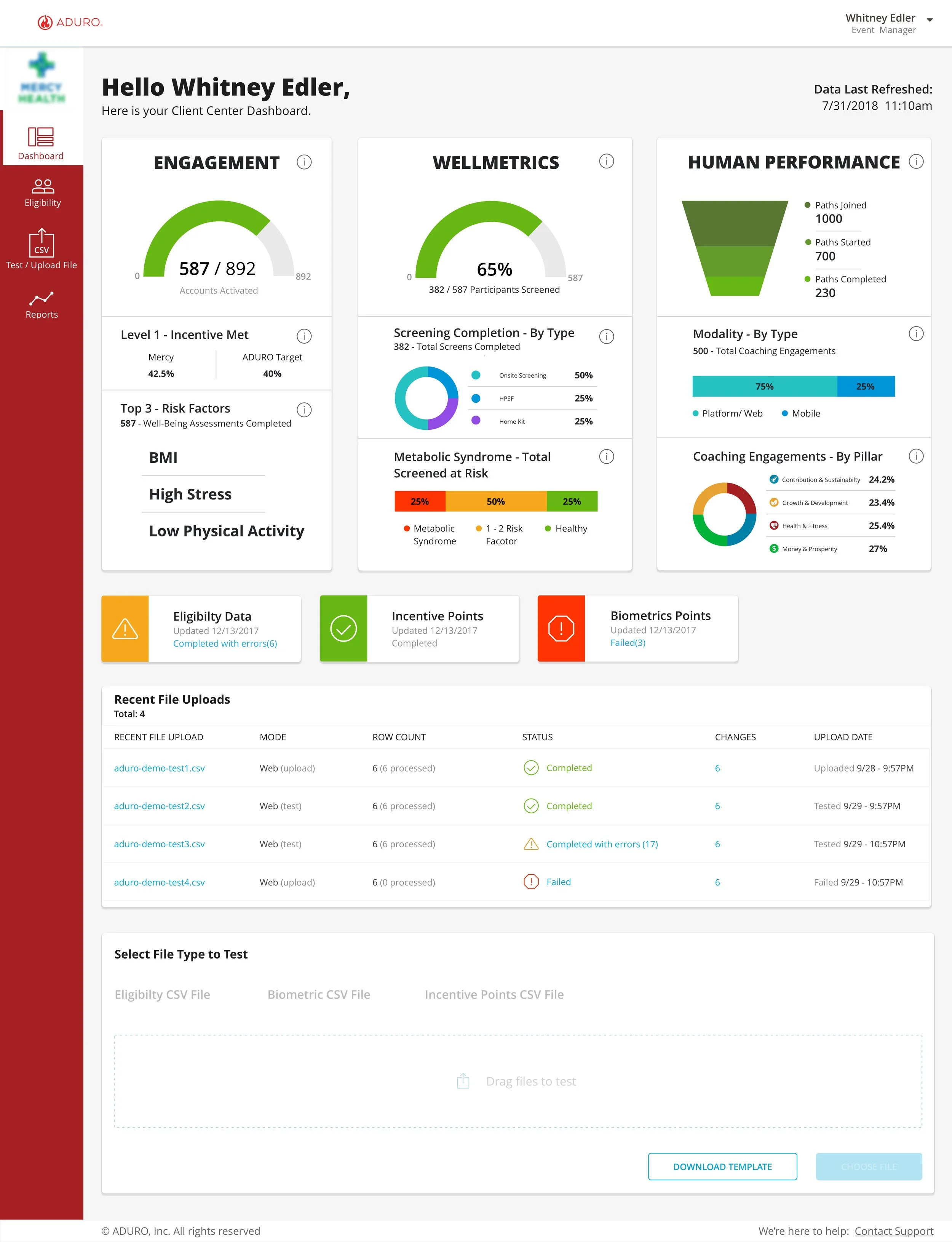
Based on the research gathered from the Account Manager interviews and SWOT analysis, I determined the best solution(s) would be to have a dynamic dashboard as the landing page for each AMs client. The dynamic dashboard would display the following:
• A summary of the Population Insights – Landing Page graphs
• Ability to upload and test Eligibility Files
• Error messages that explained the cause for file error
In the future Client Center will be able to provide insights using the Aduro Data platform, and actionable solutions to our clients. Facilitating the activity with the account managers allowed for all voices to be heard and recognized
Ideation and Testing
V1 Prototype Testing
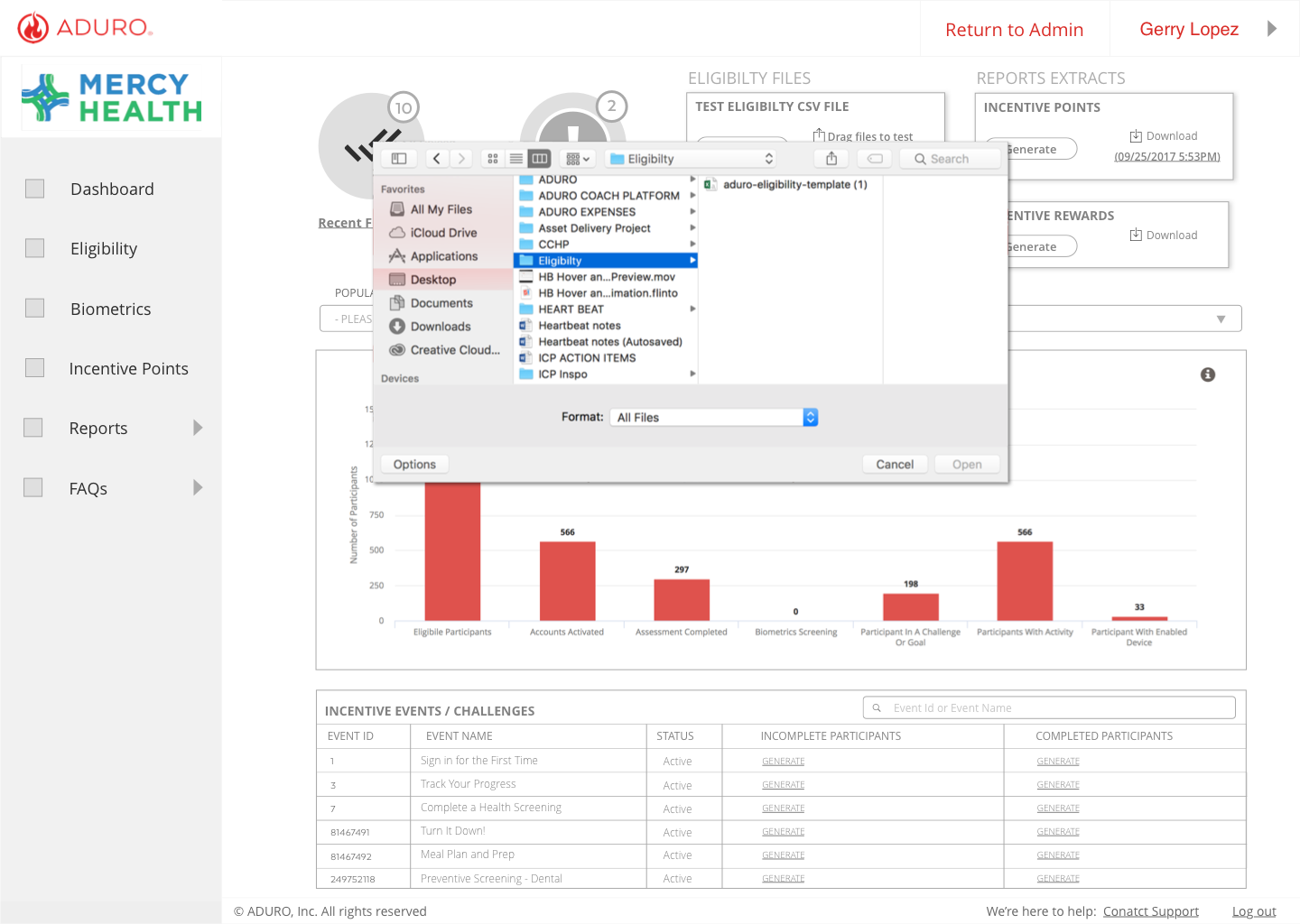
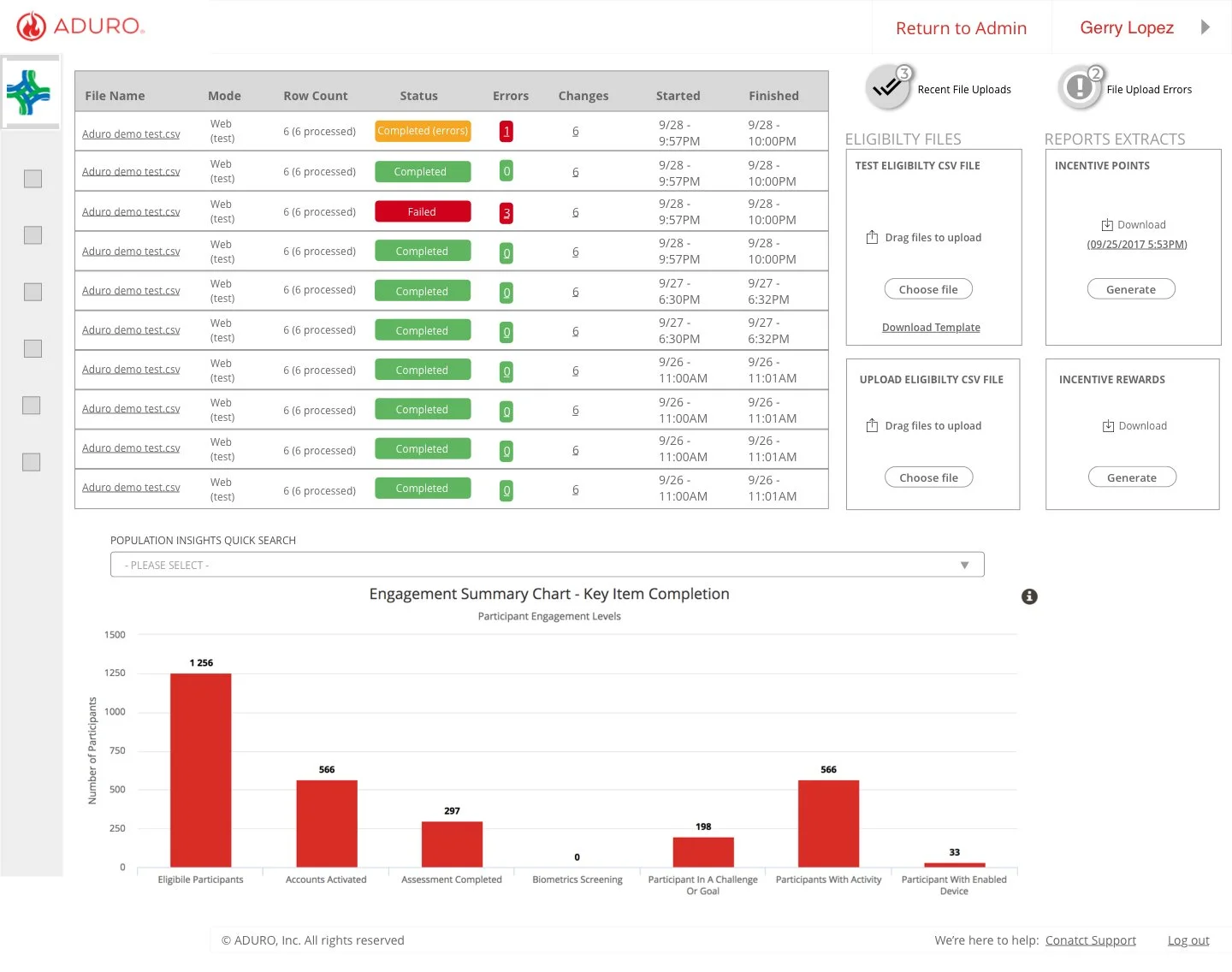
I began ideating multiple lo-fi dashboards with the dashboard goals front and center. I enjoy the divergent to a convergent method of wireframing. Creating multiple instances of components allows for easy testing and speeds innovation.
A lo-fi prototype was created and tested with three Account Managers. The AMs were asked to perform and rate the same tasks they performed during the initial interview. The prototype was received well and the testers gave some great insights.
Testing Insights that Informed Design
Uncommon for a file to upload without errors.
Recent uploads have the ability to get cluttered with Eligibility points.
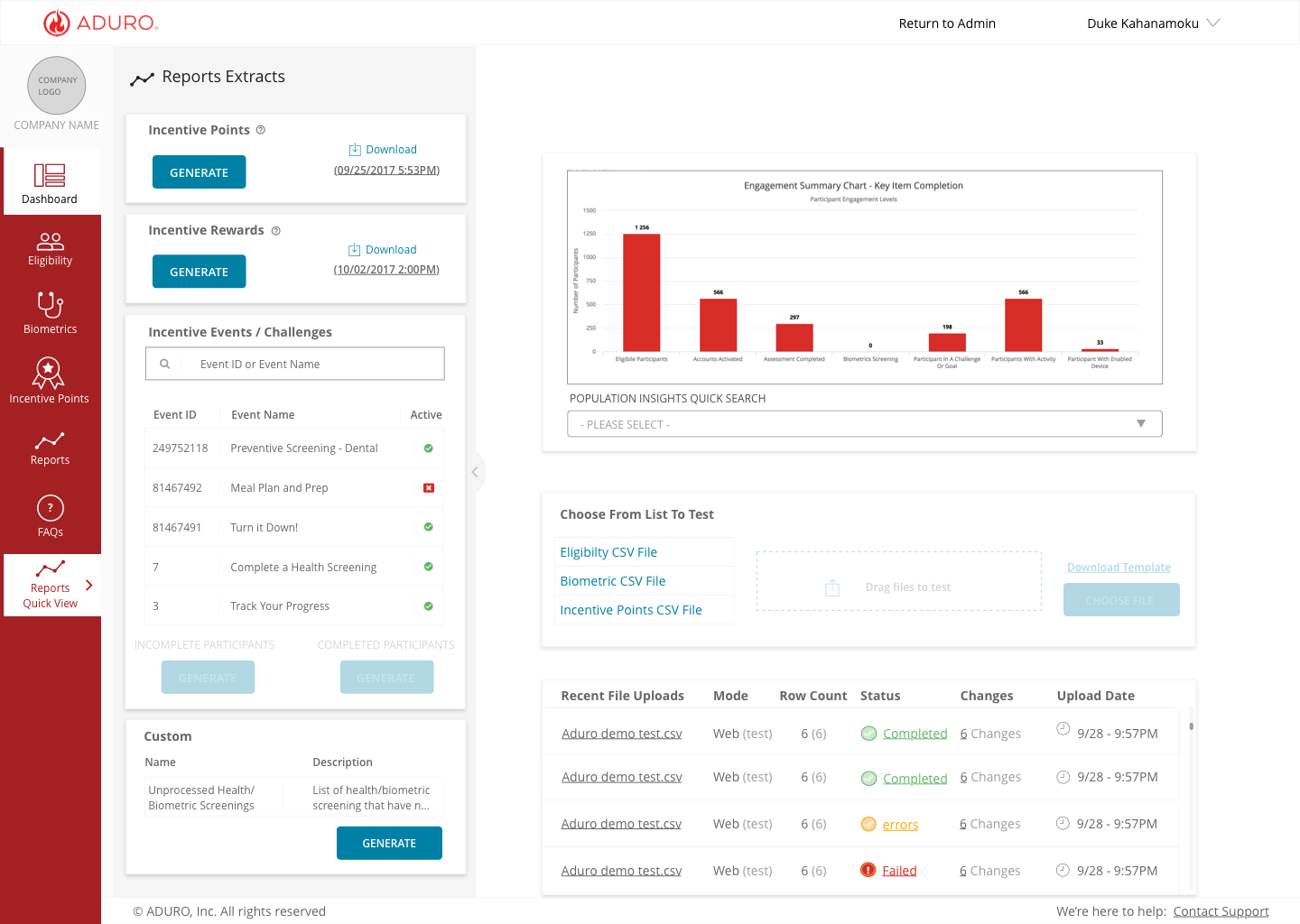
Upload incentive points should be a visible feature that is tied to incentive events and challenges.
V2 Prototype Testing
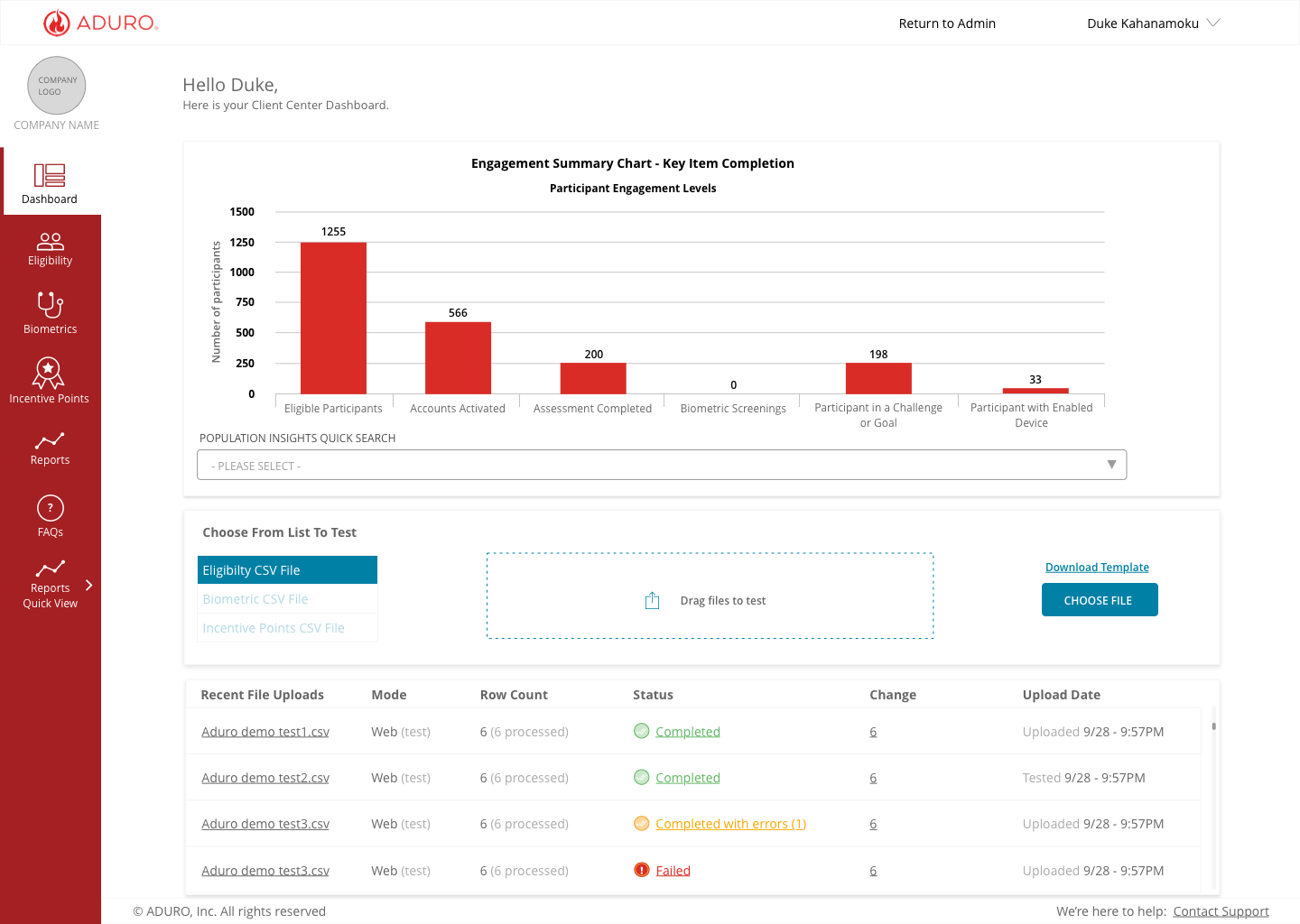
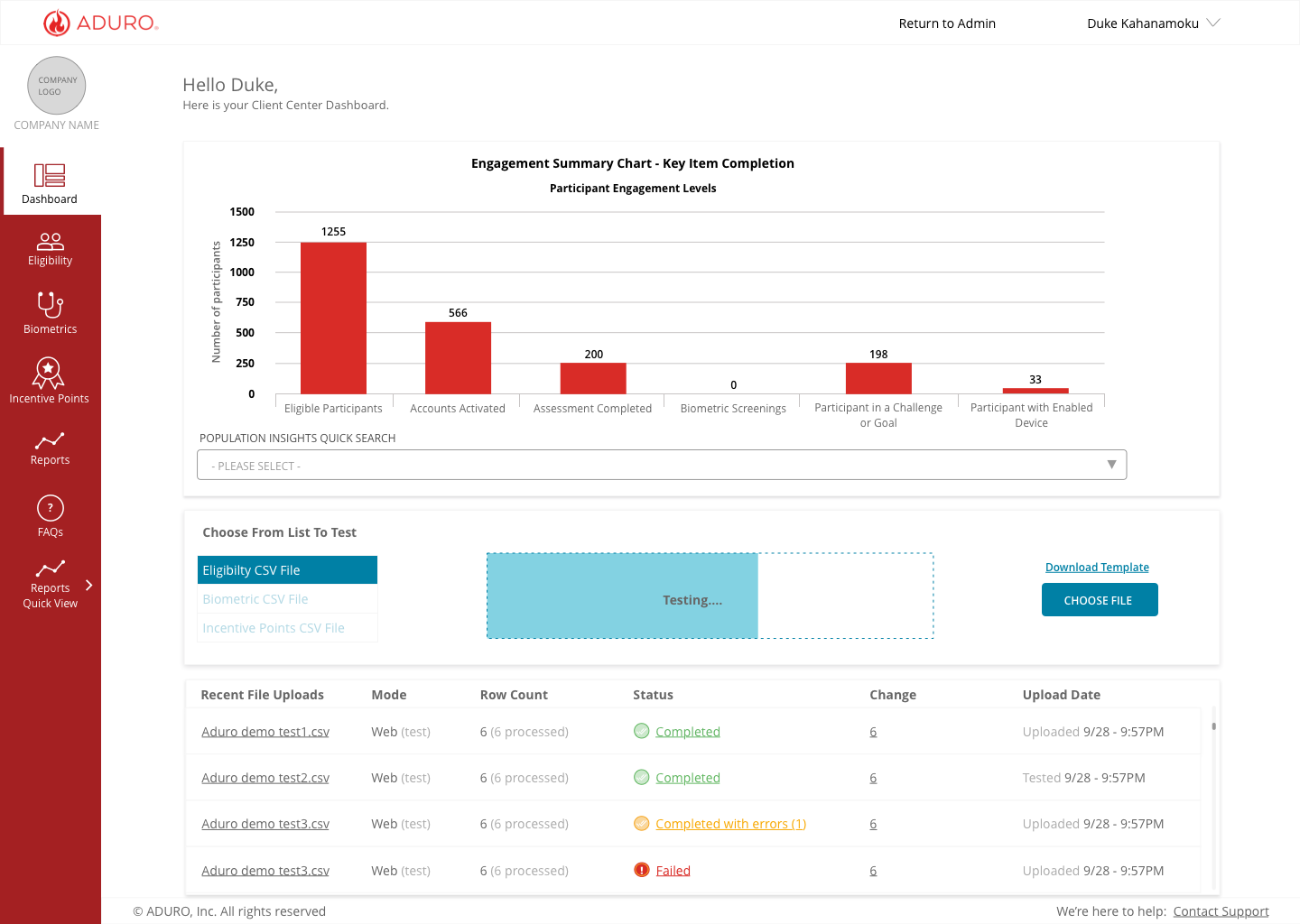
After the V1 prototype testing, I went back to ideating new designs based upon data collected from the previous insights. I was able to test task flows, labeling, and solutions that were intended to solve issues found in the V1 prototype. Three Account managers were given the same tasks to complete as the prior two tests.
Testing Insights that Informed Design
Dash was overwhelming.
All AM's wanted to see different metrics
Ability to test and upload multiple files at once would refine the process.
There is a need for search functionality.
-
![]()
V2 prototype
-
![]()
Testing
-
![]()
File status
-
![]()
Data downloads
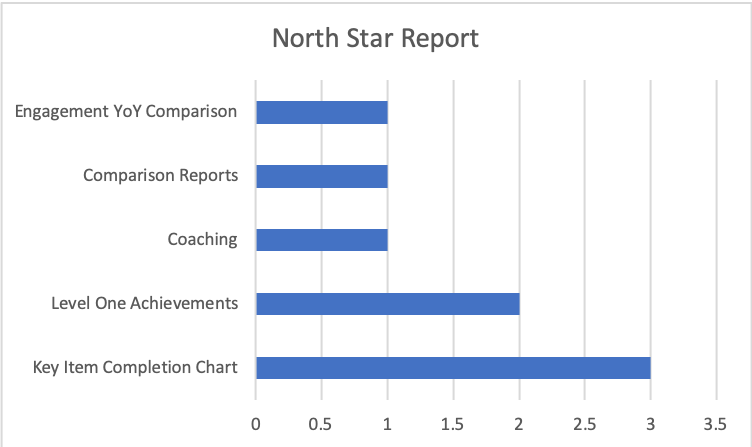
All the Client Service team members had different opinions of what metrics were most important.
What are the north star reports Client Services needs to see?
Understanding Business Goals
I worked with the product manager to identify and better understand what client’s platform and business goals are and the goals and metrics our clients expect to see in order to measure the success and effectiveness of their program. Our research was focused on the account managers' relationships and knowledge of client’s programs as a proxy and first step towards this goal.
High-Level Research Questions
What are key K.P.I.'s to track within the Aduro platform?
Is Aduro presenting meaningful K.P.I.'s to clients?
Is the overall platform experience positive or negative?
Goals
Understand the Aduro Account Manager's point of view around the goals of clients within the Aduro platform.
Understand why specific goals are important to clients.
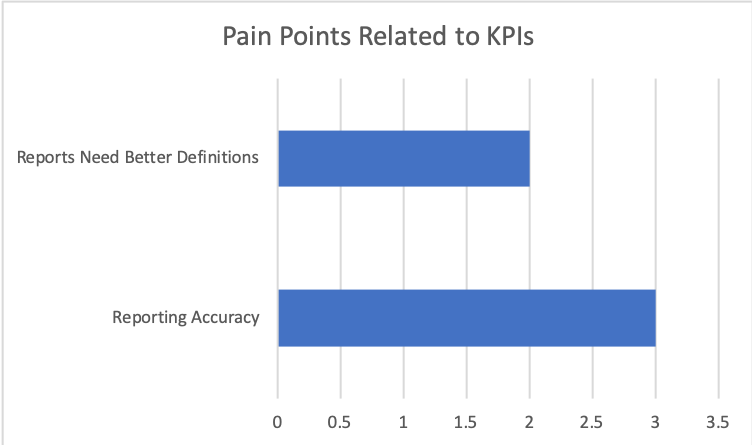
Find the pain points of the client's experience with the goals set within the platform.
Interviewing the Client Service Team
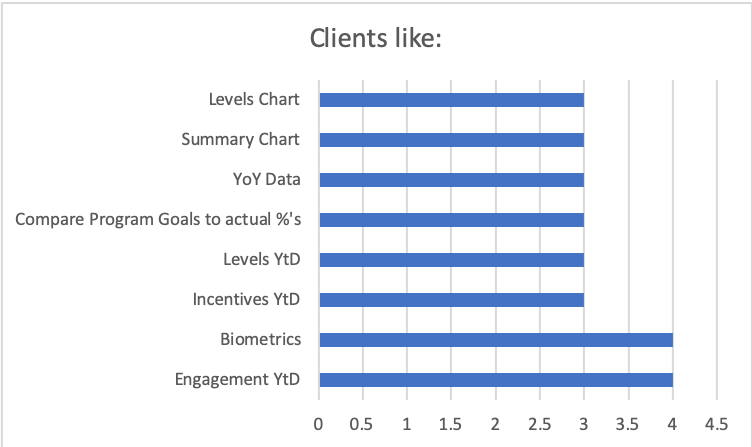
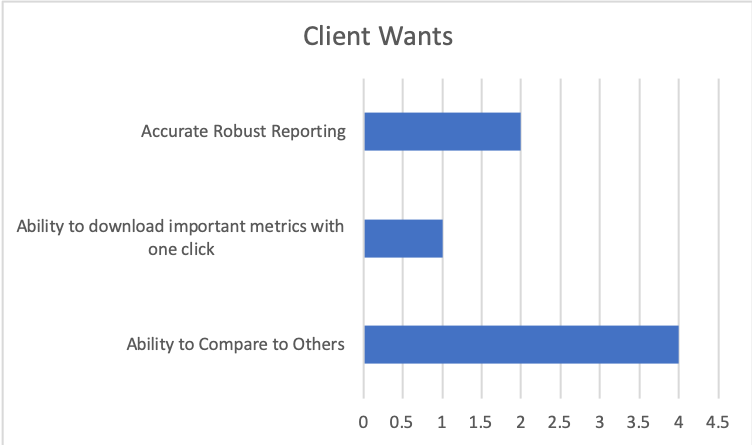
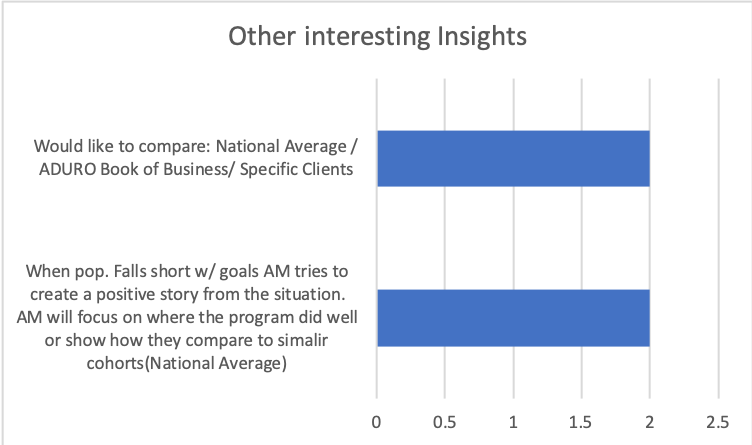
Templated interviews were conducted to better understand and identify what the client’s platform and business goals are and the goals and metrics our clients expect to see in order to measure the success and effectiveness of their programs.
Members of the Redmond Data Team, 2 members from the sales team, and 9 Members of the Client Services team with clients that covered Tier 1 through Tier 4, and resellers were interviewed and recorded in a templated format and asked to share their point of view around their goals of the platform.
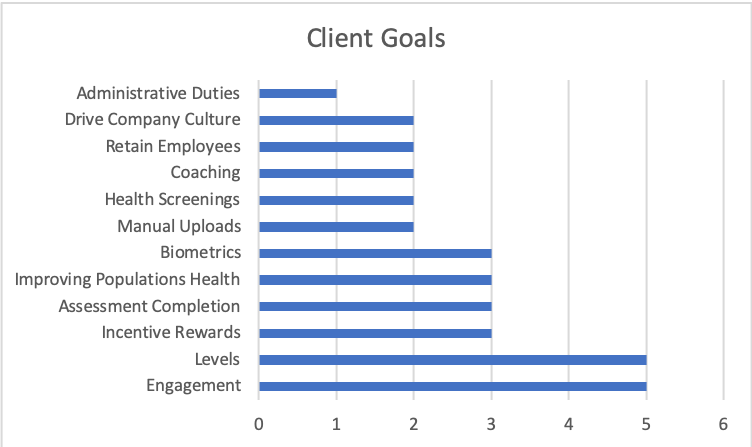
The interviews went great we received a lot of meaningful feedback. We had now become more deeply aligned with what our Client Services Team perceived our client’s goals to be within the platform.
Interview Results
V3 Prototype Testing
-
![]()
V3.1
-
![]()
V3.2
-
![]()
V3.2
-
![]()
V3.3
Testing Insights
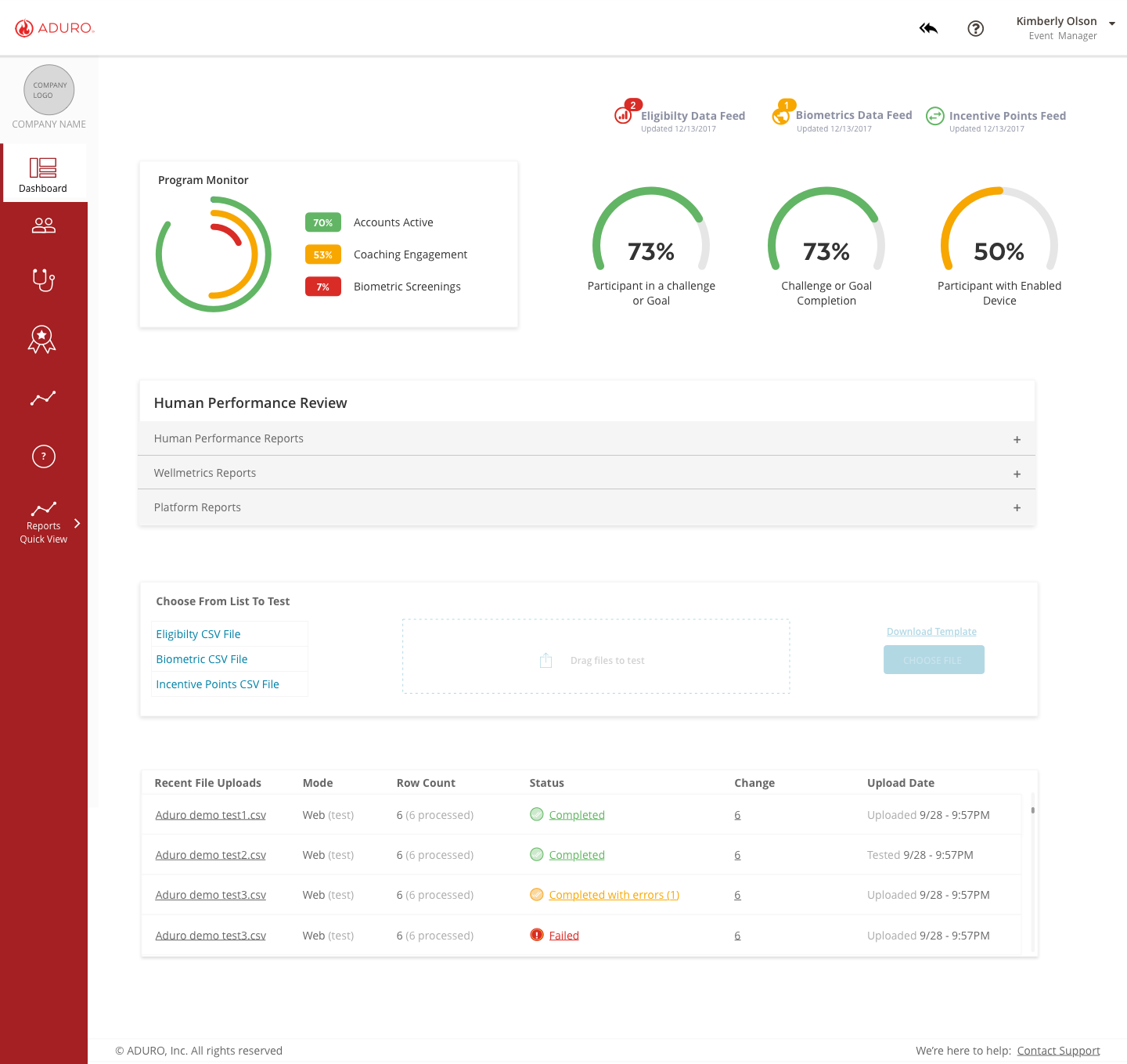
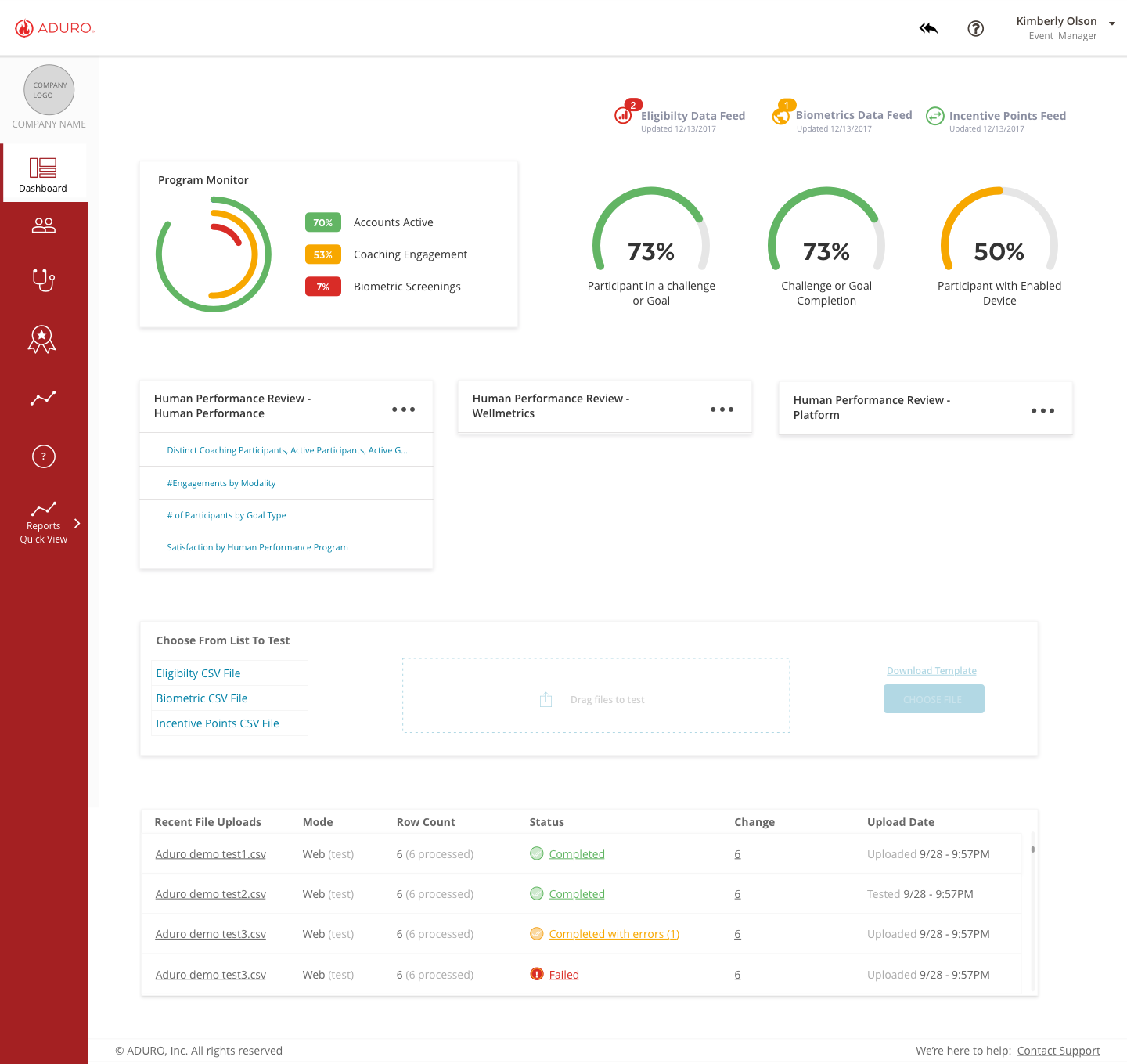
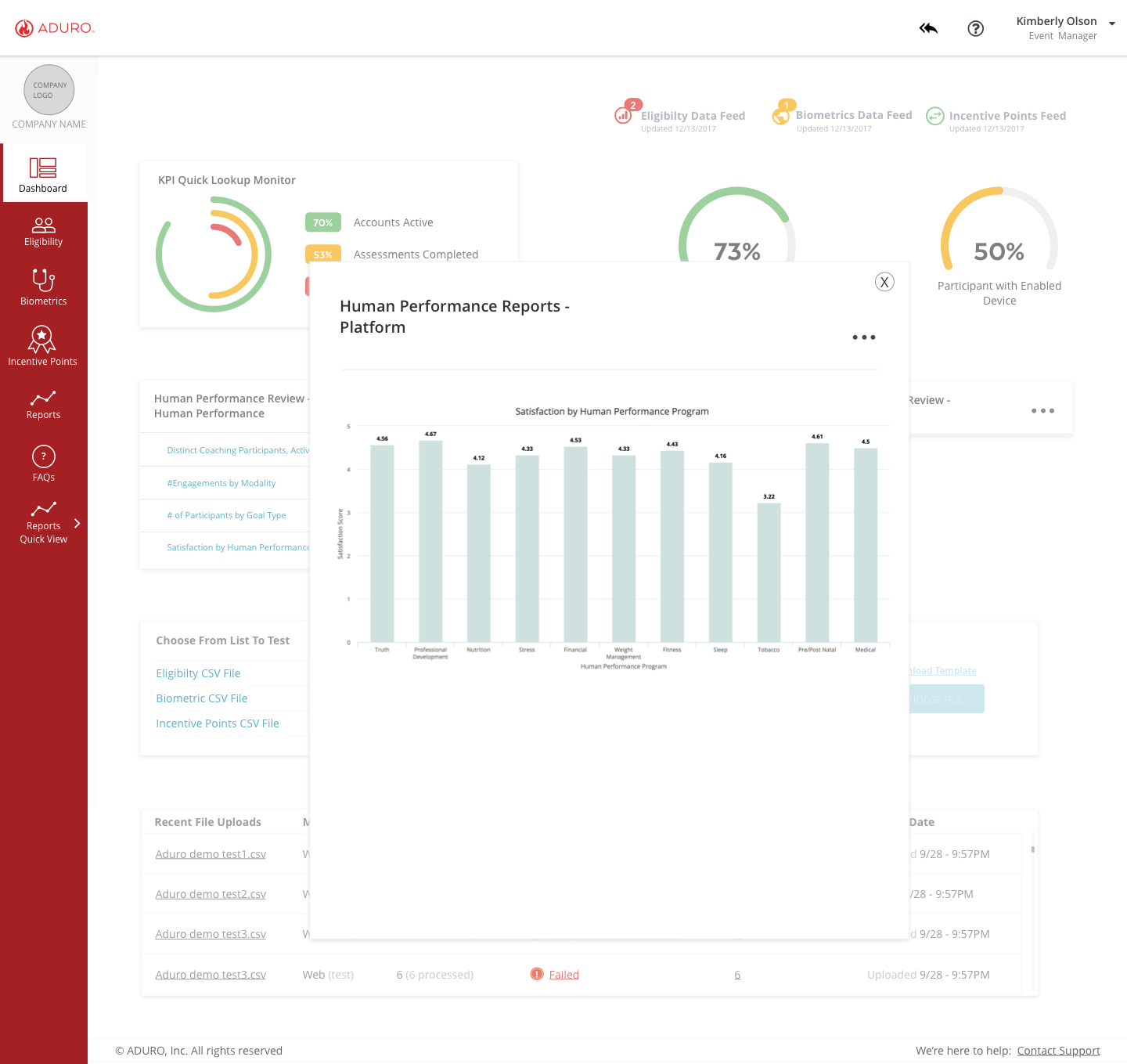
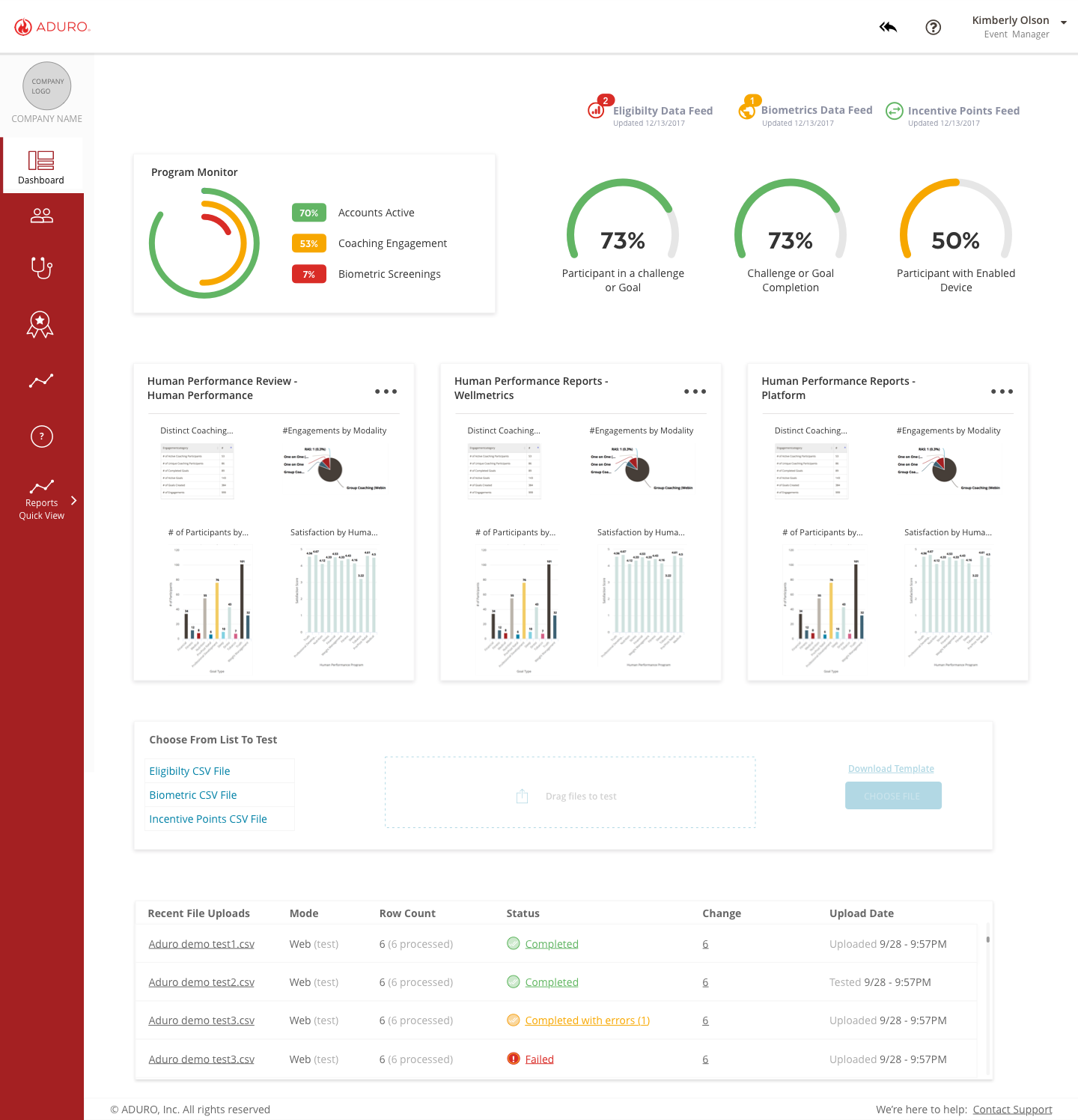
With the new insights of most valued reports, a third iteration was produced to test. Testing the K.P.I.s that were displayed were the main focus. We needed to ensure the K.P.I.s displayed on the landing page were still relevant.
Testing revealed the graphs and charts chosen were hard to understand. Another major insight was the difficulties navigating around the rest of the platform. The landing page was an upgrade but the rest of the platform needed major improvements.
Final Design
-
![]()
V4
-
![]()
V3.2
-
![]()
V3.2
-
![]()
V3.3
Retrospective
The homepage redesign was a great success in improving the productivity of Account Managers by allowing them to instantly access the most important metrics right after login. Discovering and aligning the Client Service Team on what K.P.I.s were most important was also a big win.
Keeping multiple teams involved was great for seeking subject matter experts and exciting to keep everyone informed. Keeping all stakeholders informed also allowed for the strengthening of communication between all parties involved in the project.